
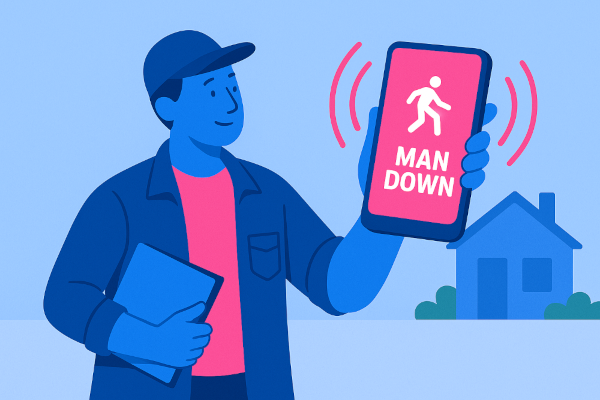
Man Down Alarm App
With technology integral to daily life, smartphones have become key allies in personal safety. The device that connects us to the world can now also be our most critical lifeline in an emergency. For lone workers, individuals seeking independence, and families seeking reassurance, the shift from hardware to advanced software has been revolutionary. This trend is led by the emergence of personal alarm apps and man down alarm apps. Two unique yet synergistic tools aimed at delivering prompt aid during critical moments. These apps utilise the sophisticated sensors and connectivity of today’s smartphones. To craft a digital safety net, transforming a potential crisis into a controlled response. In this article, we will delve into the intricacies of these mobile safety solutions. Highlighting their essential features and exploring how they can be used to safeguard individuals. While providing businesses with a competitive advantage.
Mobile App for Personal Safety
The concept of a mobile app for personal safety represents a significant leap forward in accessibility and functionality. Traditionally, personal alarms were single-purpose hardware devices, often bulky and limited in capability. Today, a personal safety app installed on a smartphone offers a far more dynamic and intelligent solution. It harnesses the device’s built-in GPS for precise location tracking. Cellular and Wi-Fi connectivity for instant communication, and accelerometers for detecting motion and impact.
This integration means that users no longer need to carry a separate device. Their phone, an item they already have with them, becomes a comprehensive safety tool. The benefits are manifold: it’s discreet, always available, and can transmit a wealth of data. Including user identity, location, and the nature of the alert. All available for a response team in seconds. For organisations, deploying a mobile app is more scalable and cost-effective than distributing and managing physical hardware. Allowing them to provide a consistent level of protection to their entire workforce, regardless of location.
How the White-Labeled Cuebly Personal Safety App Gives You a Competitive Edge
For security companies, healthcare providers, and enterprises, offering a robust safety solution is no longer a value-add; it’s a necessity. However, developing a sophisticated personal alarm app from scratch is a costly, time-consuming, and complex undertaking. This is where a white-labeled solution like the Cuebly personal safety app provides a decisive competitive advantage. By adopting a white-label platform, a company can rapidly deploy a market-proven, feature-rich safety application under its own brand.
This strategy allows you to bypass years of research, development, and testing. Instead of allocating massive resources to building a tech product, you can focus on your core business. Be it security services, elderly care, or corporate safety compliance. A branded safety app strengthens your relationship with clients, increases customer loyalty, and creates a powerful revenue stream. It establishes your company as an innovative leader utilising advanced technology for exceptional protection. This distinction sets your services apart from competitors who may not offer digital solutions or depend on basic, third-party applications.
White-Label Branding
White-label branding is the process of taking a fully developed product and rebranding it as your own. Your customers can download an app with your company’s logo, colours, and name from the app store. Every notification, interface element, and communication reinforces your brand identity, building trust and recognition.
The primary benefit is speed to market. You can launch a sophisticated mobile safety solution in a fraction of the time it would take for in-house development. Secondly, it is significantly more cost-effective. You avoid the enormous upfront investment and ongoing maintenance costs associated with software engineering, server management, and regular updates. Finally, you are leveraging specialised expertise. A dedicated platform provider like Cuebly has already perfected the technology. Ensured its reliability and built in best-practice features based on extensive industry experience. This allows you to offer a world-class product to your clients without needing to become a software development expert yourself.
Manual & Automatic Alarms
Understanding the difference between manual and automatic alarms is crucial to appreciating the comprehensive nature of modern safety apps. These functions target different emergencies, distinguishing a standard personal alarm app from a more advanced man down alarm app.
A manual alarm is user-initiated. This is the classic “panic button” function. The user, feeling threatened, experiencing a medical emergency, or requiring immediate assistance, actively triggers the alarm. This can be done by pressing a large SOS button within the app, shaking the phone, or using a connected Bluetooth button. This type of alarm is essential for situations where the user is conscious and capable of signalling for help. Such as in the event of an assault, an accident, or a sudden illness.
An automatic alarm, is the defining feature of a man down alarm app. It is designed for scenarios where the user is incapacitated and unable to call for help. The app uses the phone’s accelerometer and other sensors to detect a sudden fall or a prolonged period of immobility. If a potential man down event is detected, the app typically initiates a pre-alarm sequence. This is a loud sound or vibration, giving the user a chance to cancel it if they are okay. If the pre-alarm is not cancelled, the app automatically transmits an emergency alert. Ensuring help is dispatched even when the user is unconscious.
Unique Emerit e-B10 Integration
While smartphone apps are incredibly powerful, there are situations where accessing the phone’s screen is impractical or impossible. An emergency often demands an immediate, instinctual action. This is where the Emerit e-B10 hardware device adds crucial reliability and user-friendliness. The Emerit e-B10 is a discreet, wearable Bluetooth alarm button that pairs directly with the personal safety app.
This unique integration creates a hybrid solution that combines the best of both worlds. A physical button can be worn on a lanyard, clipped to a belt, or carried in a pocket. By simply and firmly pressing the button, users can activate a manual alarm via the app. Eliminating the need to interact with their phone. This is invaluable for lone workers whose hands are occupied. Or individuals facing a direct threat who need to activate an alarm discreetly. Lastly, user feedback proves that elderly users find a physical button more intuitive than a screen. The hardware offers reliable activation, while the app manages location tracking and alert sending.
Real-time alarm response
An alarm is only as good as the response it generates. Triggering an alert is the first step. What happens next determines the outcome. A professional personal safety app ensures swift, effective real-time alarm response. When an alarm is activated, the app instantly transmits a data packet to an adequate responder. Like a 24/7 professional Alarm Receiving Center (ARC).
This data includes important information of the time of alarm. Like the user’s location, their personal profile (which may contain critical information), and the type of alarm (manual or automatic). Trained ARC operators immediately receive the alert on their monitors. Their first step is often to open a two-way audio channel through the user’s phone to assess the situation directly. They can listen in to the environment or speak with the user. Based on this assessment, or if no contact can be made, the operator dispatches the appropriate emergency services. Like the police, ambulance, or fire brigade. This managed, professional response is vastly superior to systems that simply text a list of friends or family. It guarantees that a trained expert is overseeing the emergency from start to finish.
How the Man Down Alarm App Works
The effectiveness of a personal safety mobile app lies in its seamless, automated workflow. Designed for speed and reliability in high-stress situations. The process can be broken down into a few key stages:
- Configuration and Setup: The user or their organisation first sets up a profile. This involves downloading the app, granting necessary permissions (location, microphone, motion sensors), and inputting vital information. This can include emergency contacts, specific medical conditions, allergies, and any site-specific instructions for first responders.
- Alarm Trigger: An emergency occurs. The alarm is activated in one of two ways. Manually, the user presses the SOS button in the app or on a paired hardware device like the Emerit e-B10. Automatically, the man down feature detects a fall or prolonged lack of motion. After a brief pre-alarm period, this triggers the alert.
- Instantaneous Data Transmission: The moment the alarm is confirmed, the app securely sends a signal to the central monitoring station. This signal contains the user’s identity, their precise location, battery level of the phone, and the nature of the alarm.
- Professional Verification and Dispatch: A trained operator at the ARC receives the alert within seconds. They immediately analyse the incoming data and follow a strict protocol, which may include establishing two-way audio communication. The operator then makes an informed decision to dispatch the necessary emergency services to the user’s location. While providing them with all relevant information.
- Incident Management and Closure: The ARC operator remains engaged with the situation, providing updates to stakeholders and ensuring help arrives. Once the emergency is resolved, the incident is formally documented and closed in the system.
Frequently asked questions
Ready to launch your own personal safety mobile app?
The demand for reliable personal safety solutions is growing rapidly across numerous sectors. If your business operates in security, facilities management, or healthcare, it’s crucial to consider mobile safety solutions. This is particularly important for industries with a lone or remote workforce. Now is the perfect time to integrate a mobile safety solution into your service offering. Building an app from scratch is challenging. However, a white-label solution offers a quick, effective way to enter the market. Partner with an established platform to launch a branded, feature-rich personal alarm and man down app for your clients in weeks. Not years. This move will boost your value and reinforce your status as a safety-focused industry leader.
Conclusion
The personal alarm app and man down alarm app have fundamentally changed our approach to personal safety. Offering accessible, powerful, and intelligent protection. By distinguishing between user-initiated manual alarms and sensor-driven automatic alerts, these technologies cater to a wide spectrum of potential emergencies. From direct threats to sudden incapacitation. The true strength of these solutions, however, lies not just in the app itself, but in the entire response ecosystem. Particularly when backed by a professional Alarm Receiving Center. For businesses, leveraging white-label technology offers a clear path to enhancing services. It helps in building brand loyalty and meeting the critical duty of care for employees and clients. By embracing these mobile safety solutions, individuals are empowered with confidence and independence. Organisations can also build a stronger and more resilient culture of safety.